Excire sorts the search for better footage
Posted on Nov 23, 2026 by Adam Duckworth
Rediscover forgotten footage and bring your growing media libraries under control with Excire’s AI-powered searching and organisation for video and stills
There’s a very special type of agony knowing that somewhere on a hard drive is the perfect cutaway, a relevant interview clip or a piece of B-roll that would be ideal for a project. The trouble is remembering where you put it. With years of footage scattered across folders and drives, finding that elusive shot can take longer than filming it again.
That’s where Excire Foto 2027 comes in. It was originally developed as an intelligent photo management application and as a hybrid shooter, I use it to sort my huge number of still photos. Now this standalone software for Mac and Windows has just received a major update that makes it incredibly powerful for filmmakers and hybrid content creators.
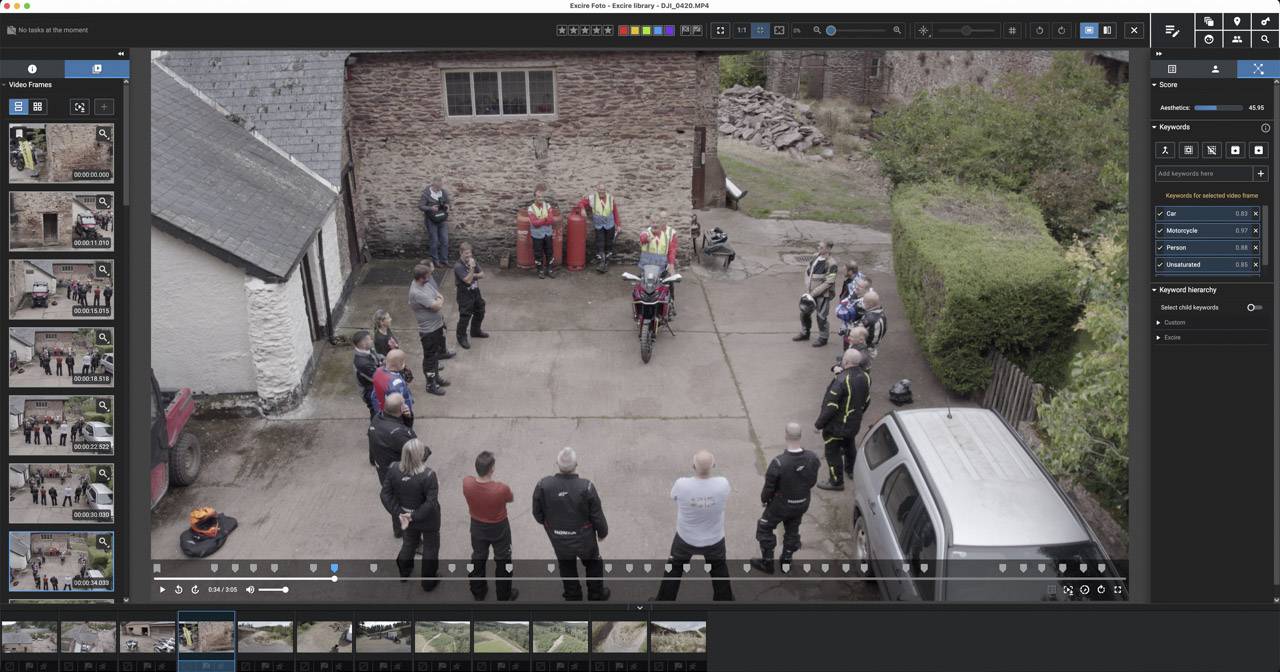
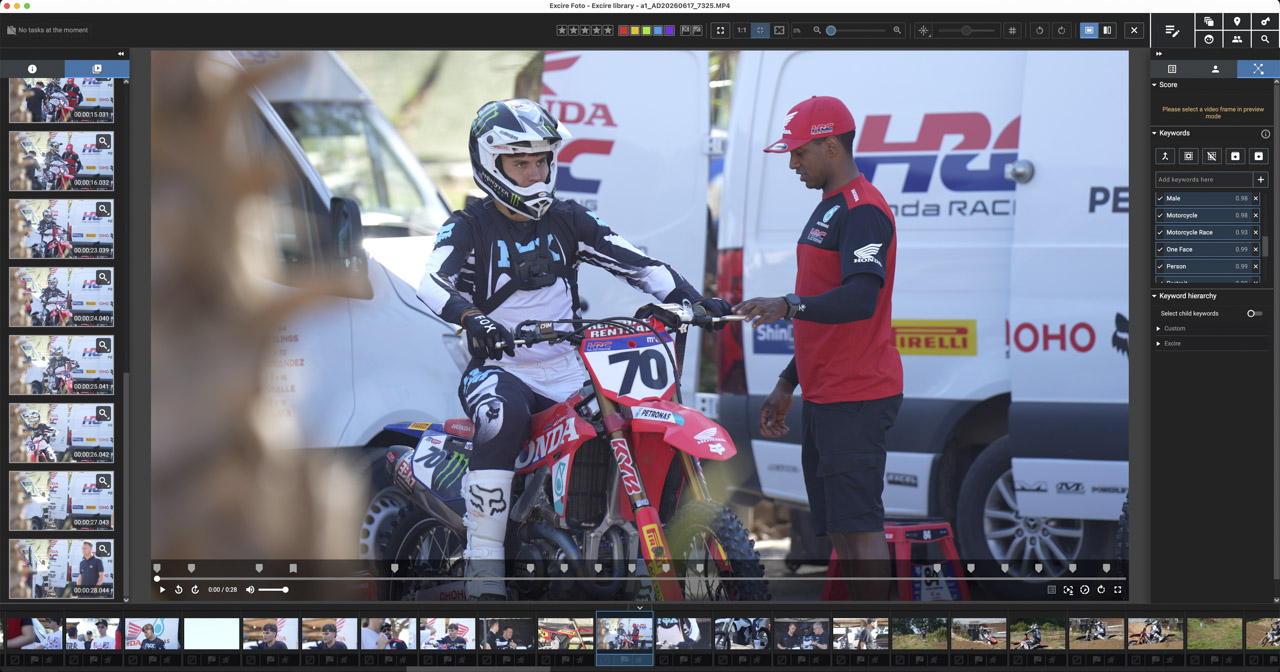
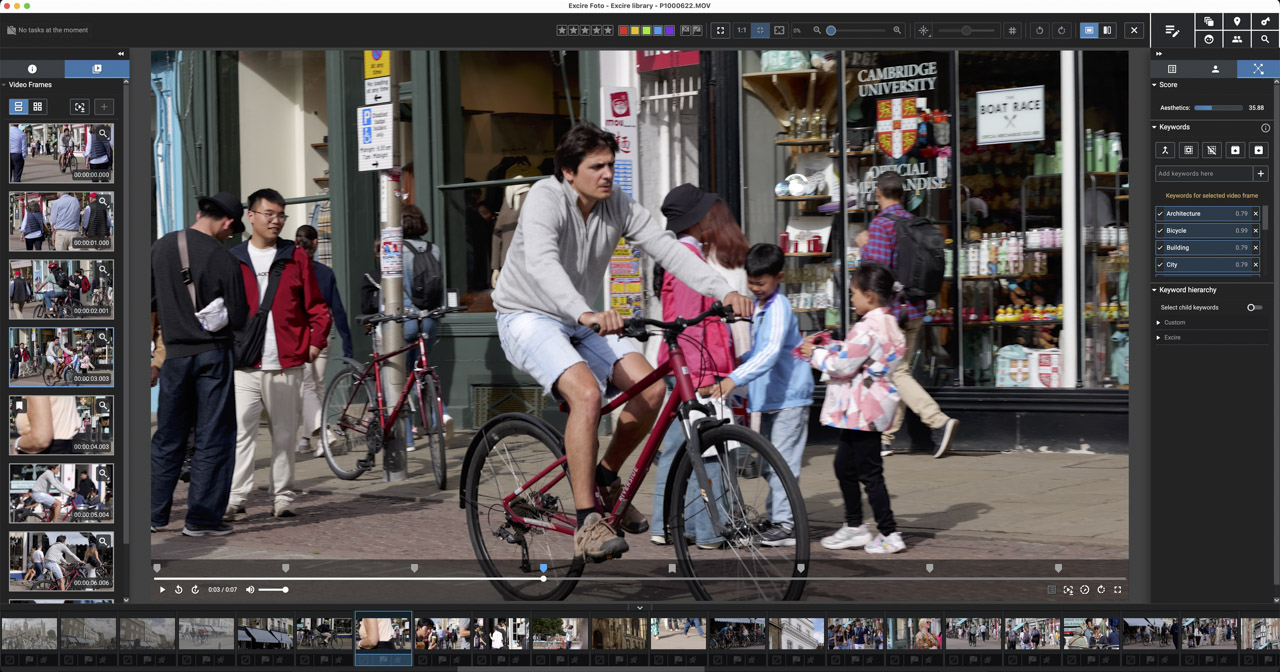
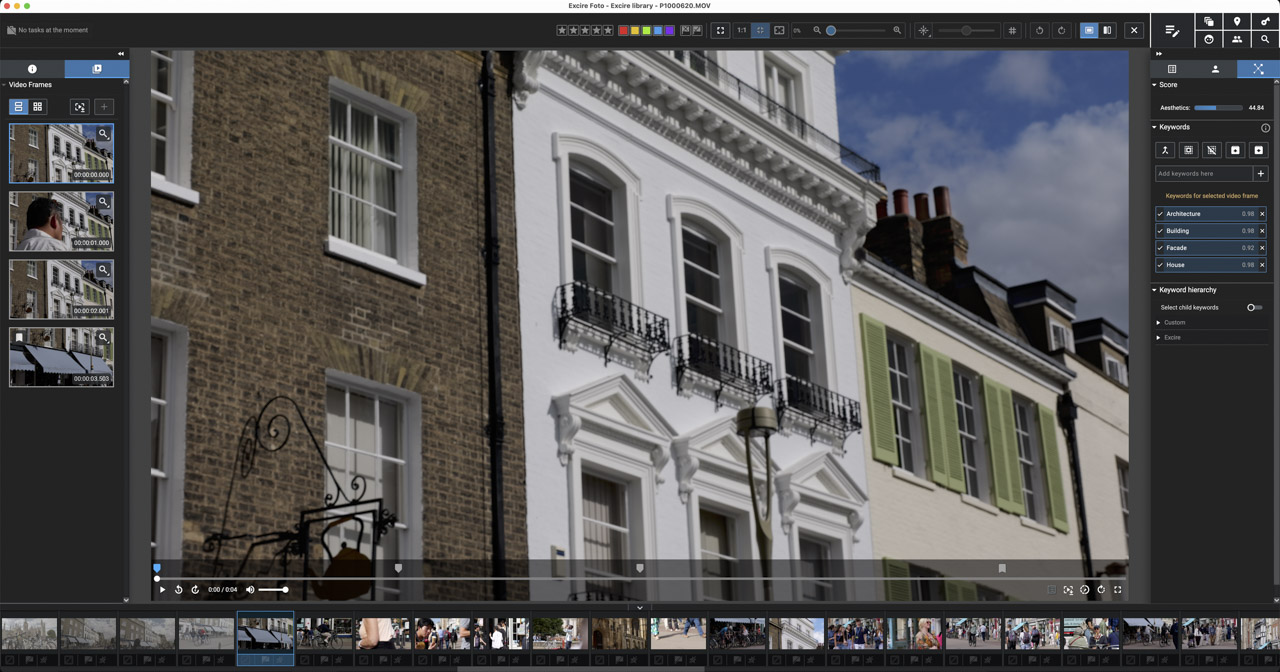
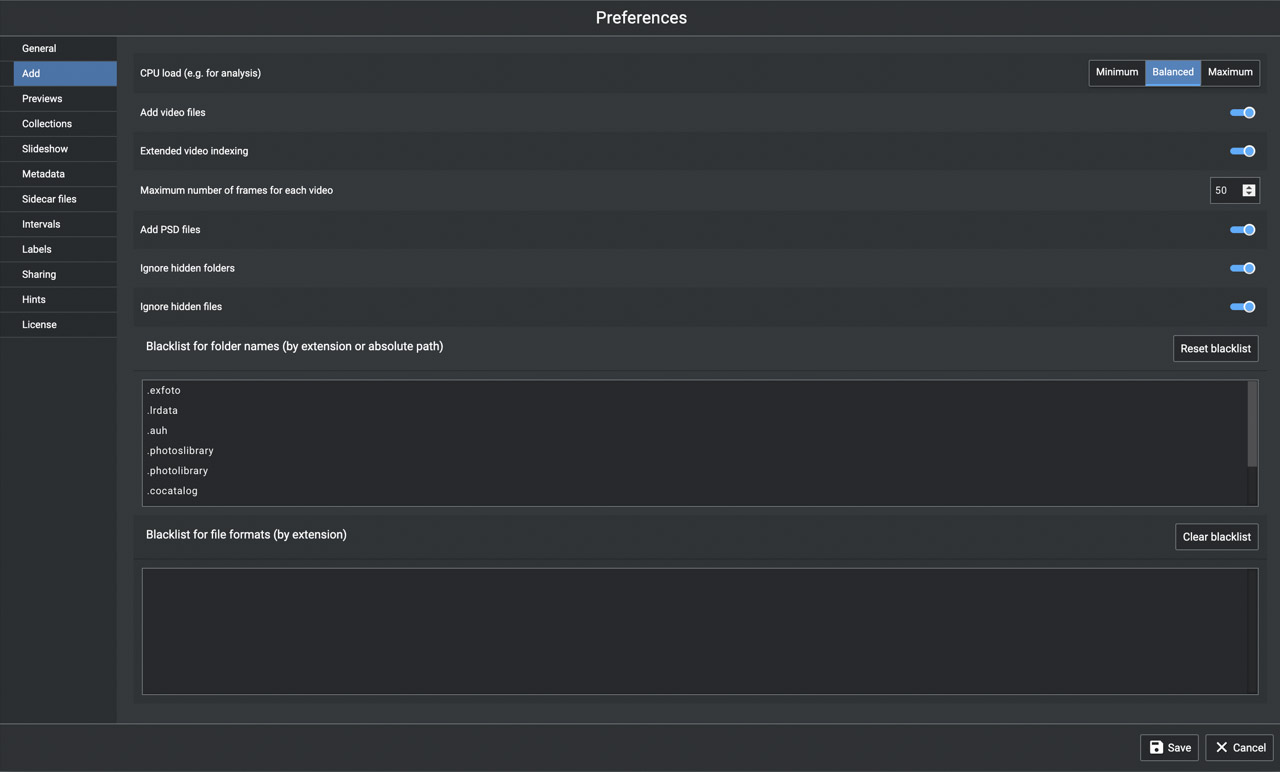
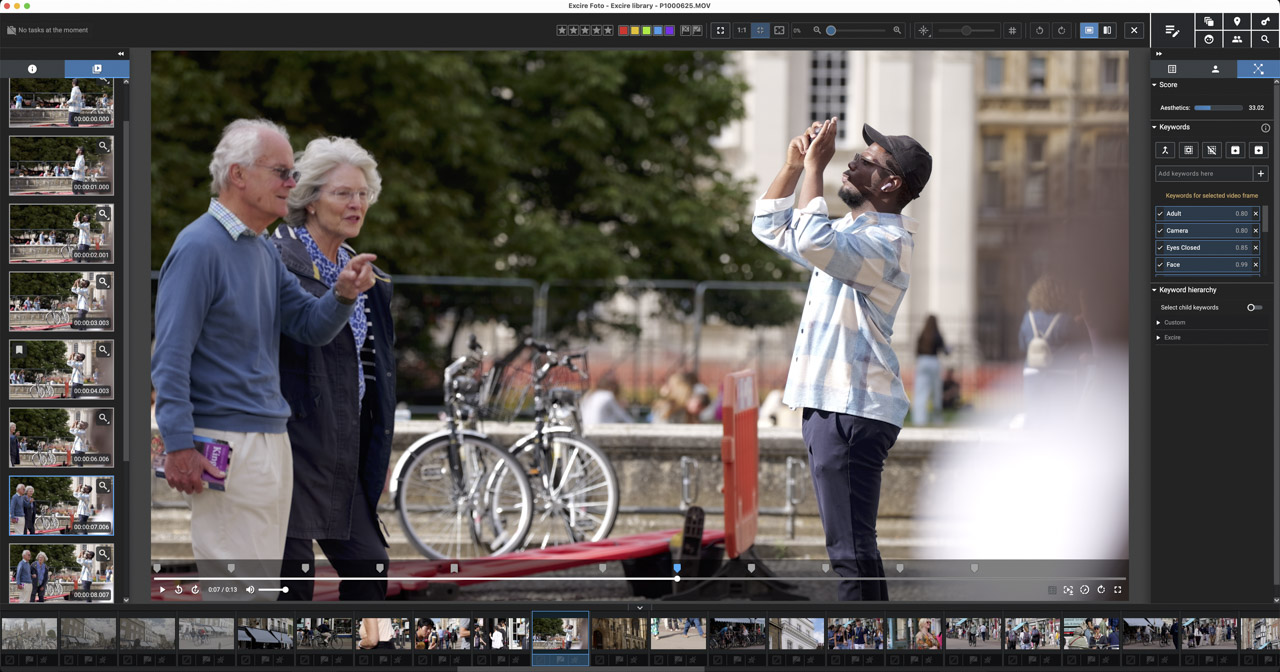
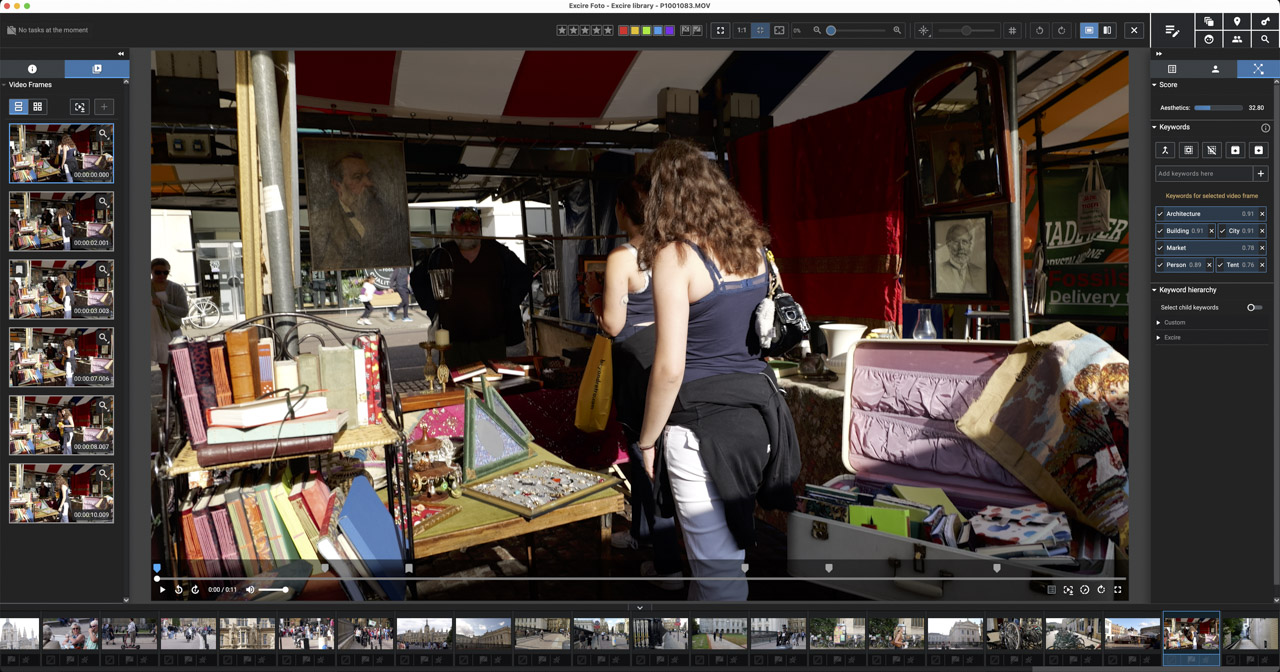
The big news is advanced AI-powered video indexing called Advanced Video Indexing. The Excire software now analyses your footage and automatically selects representative frames from each clip, creating a list of keywords for each individual frame. It clearly displays where these frames are on a timeline underneath each clip, and also chooses one of these frames to represent the entire content which is shows as the thumbnail. If you want to manually add your own keywords, add more frames per clip or select a new representative frame to use as the thumbnail, it’s easy to do.
Natural word search
What you now have is an archive where the actual content of your clips is searchable rather than relying on filenames, folder structures or manually entered keywords.
It’s a huge time-saver. Instead of remembering which project contained a particular shot, you can simply describe what you’re looking for in everyday language. Search for something like ‘motorcycle riding along a mountain road’ or ‘person walking through a busy city at night’ and identifies the relevant footage from across your library.
But it doesn’t just find the right video file. Open a matching result and the software can take you directly to the relevant moment within the clip. For anyone dealing with lengthy recordings, travel footage, documentaries or extensive B-roll collections, that’s a welcome feature.
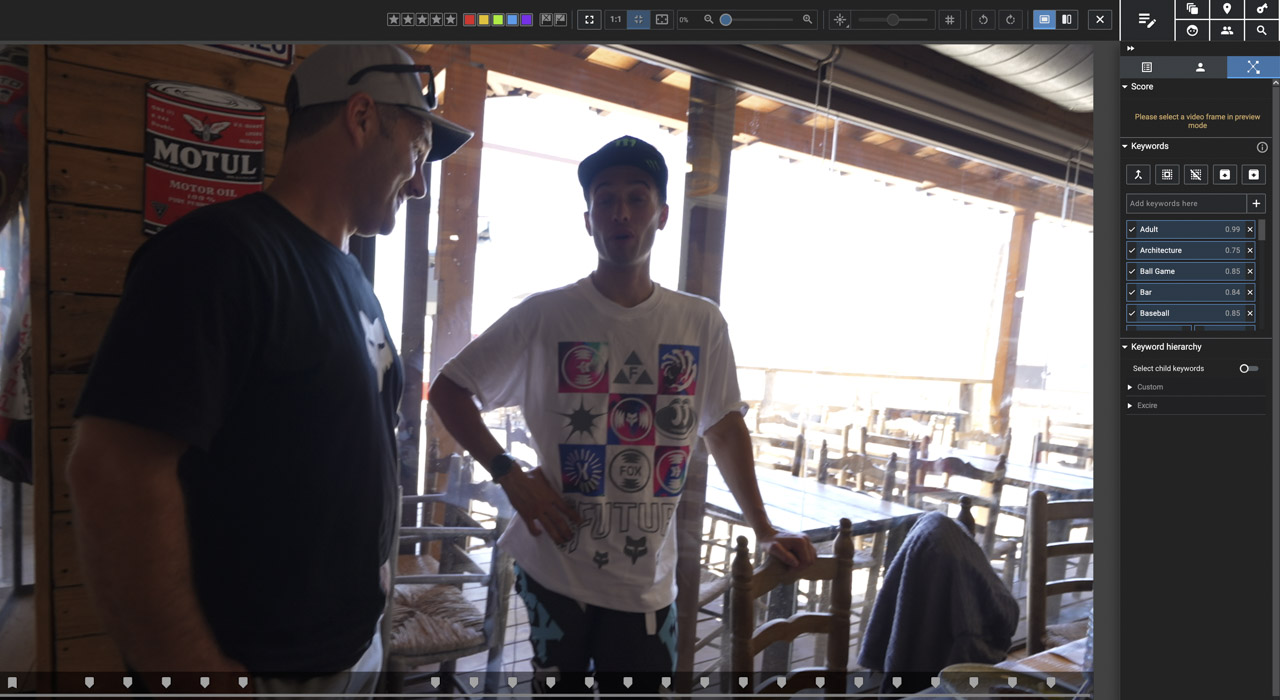
The searching goes much further than simple descriptions. Excire can identify people and faces within footage, automatically generate descriptive keywords and find visually similar content using an existing photograph or video frame as a reference. There’s also intelligent text recognition, allowing you to search for words or numbers appearing within the footage itself. Think shop signs, vehicle registrations, race numbers or branded products.
So you can identify a person in one shot, and Excire can find all videos where they appear. If your database also has stills photos, you can also search the stills part, video part of both.
For example, we searched for number ‘74’ and Excire Foto 2027 quickly brought up photos and videos of some racing motorcycles with that number on their side plates, the number printed on a rider’s shirt and also where it featured on the registration number plate of various cars and motorcycles.
All individual video frames can now also be saved as separate JPEG images, which is handy for creating thumbnails and social media posts. These images can then be incorporated into the same searchable library.
Stills the best
If you shoot stills as well as video, and Excire’s photography tools are impressive. You use natural language for searches, there is automatic keywording, facial recognition, duplicate detection and AI-assisted image evaluation. These make it easy to manage enormous photo collections, and now they work for you video files too. Or just for video, if that’s your work.
Also new is an interactive World Map View for exploring where images were taken. The latest update adds reverse geocoding, which can automatically identify cities and countries from existing GPS coordinates and populate the relevant metadata fields. It’s a useful addition for travel filmmakers and creators who regularly work in different locations.
Excire Foto doesn’t replace editing software, bit think of it as an intelligent media librarian that helps you find the material you need before bringing it into your usual production workflow. There are some limitations, particularly around video codec compatibility, which varies between Windows and macOS. It’s worth checking support for your preferred recording formats before committing but we had no issues on our Mac Studio with Sony and Nikon compressed codecs or ProRes.
But the software does take time to upload files and search through them. We uploaded a staggering 371GB from a big multi-media shoot. This was 236.5GB worth of 10,586 Raw and JPEG images and 107.7GB of 454 mixed 4K video files from a Sony A1, Sony A7S III, FX3 and DJI Pocket 4. All this took just 78minutes. They were stored on an external HDD, not a speedy SSD, so that’s very fast and impressive considering it analysed and keyworded clips into 11,000 separate frames.
Keeping it safe
Another attraction is that all the AI analysis takes place locally on your computer. There’s no need to upload potentially sensitive client footage to the cloud, and no subscription to keep paying. Excire Foto 2027 is available as a one-time purchase for £229/ $249, and this video update is free for existing owners.
For filmmakers who have accumulated years of footage, the ability to search for what’s actually happening inside a video, then jump straight to the relevant moment, is unique and transformative. Add the excellent stills management tools and Excire Foto 2027 becomes a stunning proposition for modern hybrid creators. And there’s a free 14-day trial, too, so give it a go. There are lots of free online tutorials to get you going, but thankfully it’s straightforward to understand and use.
AT A GLANCE
Software: Excire Foto 2027
Platforms: Windows and macOS
Licence: One-time purchase, no subscription
Launch price: £229/ $249
Free trial: 14 days
More details: Excire.com