DaVinci Resolve 21.1.2 update: performance improvements & new features
Posted on Nov 28, 2026 by Estelle Brogden
DaVinci Resolve 21.1.2 is now available. This update delivers significant AI performance improvements on Apple and Intel graphics platforms, expanded scripting support, improved timeline editing and faster OGraf playback with additional template controls.
DaVinci Resolve Studio users can now experience up to 14x faster IntelliSearch analysis on Apple M6 computers running Mac OS 27, as well as faster IntelliSearch analysis, multicam SmartSwitch and AI tool performance on Intel graphics platforms. This means less time spent analysing footage for searches and faster automatic camera angle selection when editing multicam projects, helping you work more efficiently.
Expanded scripting support
In addition, expanded scripting API support in DaVinci Resolve Studio now allows you to automate more editing tasks, from organizing photo albums and applying grades and Fusion compositions to editing timelines. You can also use scripts to render and export photo albums, as well as move, trim and extend timeline clips, delete gaps and silence, and copy attributes between clips.
Additional scripting support lets you manage video and audio effects, access transition properties and control colour grading settings such as node labels and colours. This means you can automate more repetitive tasks and create custom workflows for photo editing, timeline editing, grading and managing projects.
Improved timeline editing
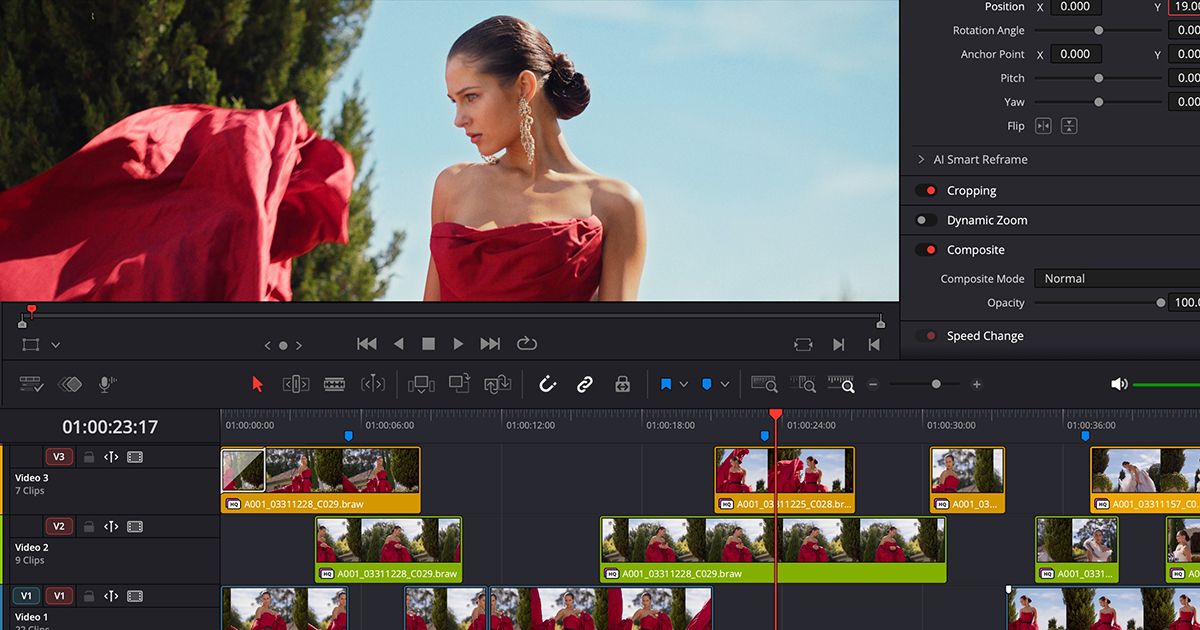
Editing in the timeline is also more easy to use, with selected edit points now prioritized when choosing the nearest edit point type. You can also automatically enter dynamic trim mode when lasso selecting edit points, while selecting edit points on gaps now activates the trim editor. This makes it easier to select and adjust multiple edit points without having to manually switch tools.
OGraf graphics now play back up to 4x faster in the edit and Fusion pages. New select and multi-select template controls give you more options for customizing graphics, while responsive templates automatically adapt to the timeline aspect ratio. In addition, OGraf and Lottie graphics are now supported on Linux, providing more flexibility when working with animated graphics across different platforms.
Learn more at blackmagicdesign.com